
TABLE OF CONTENTS
- Step 1. Go the the employee case file
- Step 2. Select Actions -> Other Actions
- Step 3. Select the option “Copy case to separate new case file”.
It is possible to copy a case file by creating a segregated duplicate file for the employee. In this process, the employee including personal and employment details (NAW and employment data) and optionally the current sickness case will be copied. This functionality can be used, for example, for an external ERD Sickness Benefits supervisor, so that you can provide this supervisor with a separate file. This way, the external supervisor will not have access to previous sickness cases, and the (former) manager of the employee will not have insight into the guidance from the external supervisor.
Step 1. Go the the employee case file
Step 2. Select Actions -> Other Actions
This is the action link “Other Actions”, which can be added if it is not yet available (see the separate instruction for Portals).
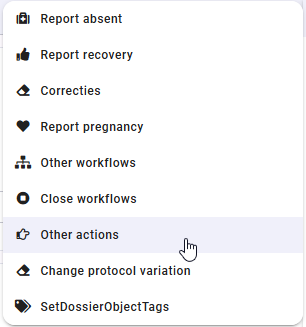
Step 3. Select the option “Copy case to separate new case file”.
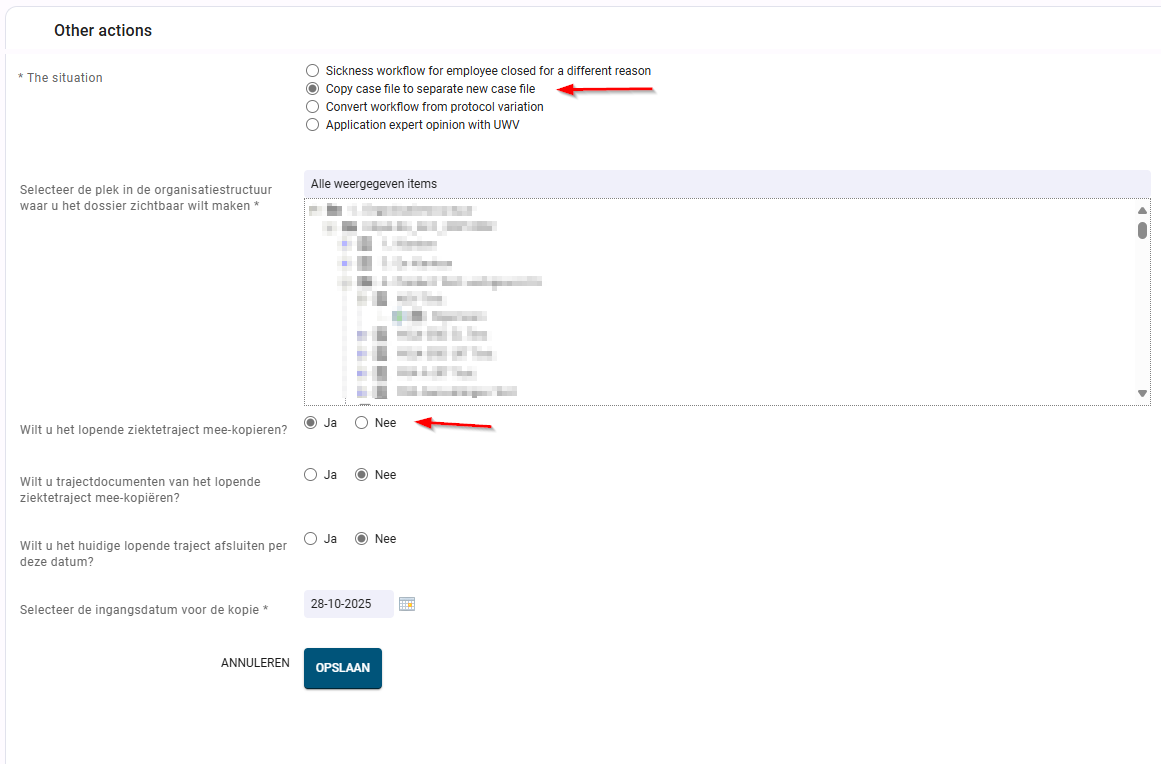
First, select the department under which the duplicated employee file should be placed. We advise creating a separate, fictitious department for this purpose, granting access only to the external parties and/or those within the organisation who are allowed to view the file.
If users do not see the required department in the list, it may be because they are not authorised for that department or because the department does not yet exist in Xpert Suite.
Step 3.2 Copying the sickness case
If there is an active sickness case for the current employee, you have the option to copy this sickness case as well. In the duplicated file, a new sickness case will automatically be created with the same start date as the existing one. This copied case can be created completely blank—without notes, tasks, documents, etc.—and will then only include the tasks specified in the protocol variation used for this separate department (e.g., a specific ERD Sickness Benefits protocol variation). You can also choose to copy the documents. Additionally, you can indicate whether the sickness case for the current employee should be closed. Finally, you can enter a start date for the copy. This date will be used as the start date of employment for the copied employee.
IMPORTANT: In Xpert Suite, the copy counts as a separate employee and sickness report, so make sure to place this file in a way that prevents unwanted effects on the statistics. It is best to create a seperate department outside of the employer structure.
IMPORTANT: Consultation documents and uploaded documents are not case documents and will therefore not be copied if you choose to copy case documents.